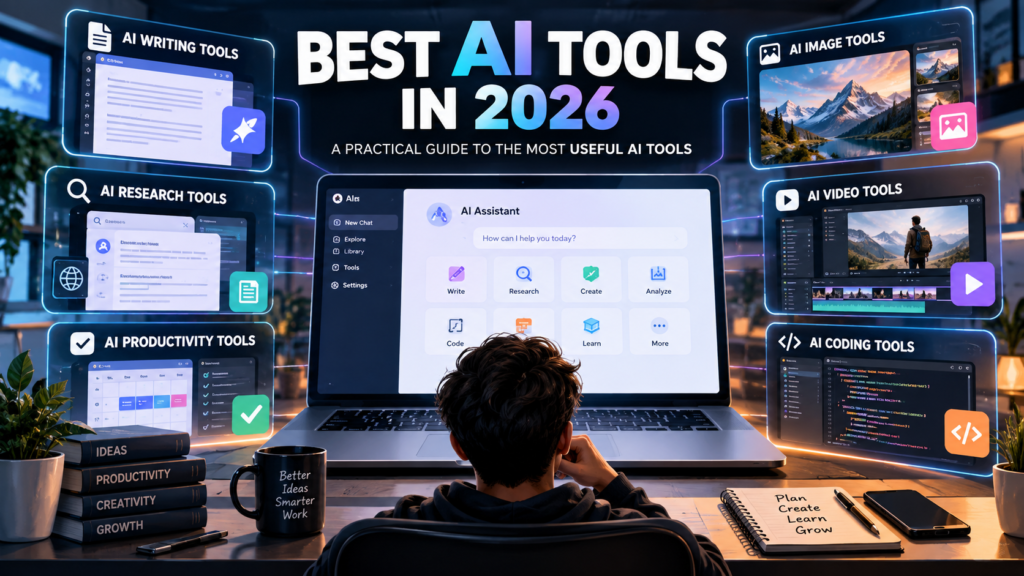
Artificial intelligence has quickly become part of everyday digital life. What once looked like advanced technology is now being used for writing, research, coding, image creation, video editing, productivity, education, business, and many other tasks.
The difficult part is no longer finding an AI tool. There are now hundreds of AI tools available, and many of them offer similar features. The real challenge is choosing the right tool for the job.
In this guide, we will look at the different types of AI tools you can use in 2026, what they are useful for, how to choose one, and what you should consider before depending on an AI tool for important work.
Table of Contents
What Are AI Tools?
AI tools are software applications that use artificial intelligence to perform or assist with tasks that normally require human input.
Depending on the tool, AI can help generate text, summarise information, analyse documents, create images, edit videos, write code, organise information, answer questions, or automate repetitive work.
AI tools are not all designed for the same purpose. A general-purpose AI assistant may be useful for brainstorming and writing, while a specialised tool may be designed specifically for video creation, coding, research, or image generation.
That is why the best AI tool depends on what you actually want to accomplish.
Why Are AI Tools Becoming So Popular?
One of the biggest reasons for the growth of AI tools is convenience.
Tasks that previously required several applications or a significant amount of manual work can sometimes be completed with a single AI-powered workflow.
For example, a creator may use AI to brainstorm an article, create an outline, generate supporting images, and prepare social media ideas. A student may use an AI assistant to understand a difficult topic, summarise notes, or organise a study plan.
Businesses can also use AI tools for tasks such as drafting documents, analysing information, customer support, coding assistance, and workflow automation.
However, convenience does not mean that every AI output should be accepted without checking it. AI can make mistakes, misunderstand instructions, or provide information that needs verification.
Best AI Tools by Use Case
Instead of looking for one tool that claims to do everything, it is usually more useful to choose AI software according to your specific task.
Here are some of the major categories to consider.
1. AI Writing Tools
AI writing tools are designed to help with written content.
They can assist with tasks such as:
- Blog outlines
- First drafts
- Rewriting
- Grammar improvement
- Summarisation
- Brainstorming
- Product descriptions
- Emails
- Social media ideas
These tools can be especially useful when you know what you want to communicate but are struggling to organise your thoughts.
However, AI-generated writing should not automatically be treated as finished content. Adding your own experience, examples, opinions, research, and editing can make the final result much more useful to readers.
If writing is your main requirement, look for an AI tool that gives you good control over tone, structure, editing, and context.
2. AI Research Tools
Research is another area where AI tools can be useful.
Research-focused AI applications can help users find information, summarise sources, compare ideas, and organise research.
Some tools are designed around web searches and citations, while others are better suited to analysing information that you provide directly.
When using AI for research, always pay attention to the source of the information.
An AI answer may sound confident while still containing an incorrect detail. For important subjects, check the original source rather than relying only on the AI-generated summary.
A useful research workflow is:
- Use AI to understand the topic.
- Identify important claims.
- Check the original sources.
- Compare information from multiple reliable sources.
- Use the verified information in your final work.
This approach can save time without removing the need for human judgement.
3. AI Productivity Tools
AI productivity tools focus on helping people manage everyday work.
They can be useful for:
- Creating task lists
- Summarising meetings
- Organising notes
- Drafting documents
- Planning projects
- Managing information
- Automating repetitive tasks
For example, instead of manually turning a long discussion into a list of action items, an AI tool may help identify important tasks and organise them into a clearer format.
The biggest advantage is often not replacing the entire task. It is reducing the amount of repetitive work involved.
4. AI Image Generators
AI image tools can create visual content from written instructions.
They are commonly used for:
- Blog illustrations
- Marketing graphics
- Concept art
- Social media visuals
- Product concepts
- Presentations
- Creative projects
When choosing an AI image generator, consider the type of images you need.
Some tools are better suited to artistic images, while others focus on realistic visuals, design workflows, editing, or commercial content.
It is also important to understand the licensing and usage terms of the particular service before using generated images commercially. Google AI
5. AI Video Tools
Video creation can involve many different tasks, including scripting, editing, voice generation, subtitles, visual creation, and formatting.
AI video tools can assist with several of these steps.
For example, some applications can turn text into video concepts, while others help edit existing footage, generate captions, create voiceovers, or repurpose longer videos into shorter clips.
For creators, the best workflow is often a combination of AI assistance and human editing.
AI can speed up production, but human decisions still matter when it comes to storytelling, pacing, accuracy, branding, and audience expectations.
6. AI Coding Tools
AI coding assistants are designed to help developers write, understand, debug, and modify software.
They can assist with:
- Code generation
- Debugging
- Explaining code
- Documentation
- Refactoring
- Generating tests
- Understanding unfamiliar code
These tools can save developers time, but generated code should still be reviewed and tested.
A programming assistant can produce code that looks correct while containing bugs, security problems, or assumptions that do not fit the project.
For that reason, AI coding tools work best as assistants rather than replacements for software development knowledge.
7. AI Tools for Students
Students can use AI tools for learning, organisation, research, and writing assistance.
Useful applications include:
- Explaining difficult concepts
- Creating study questions
- Summarising notes
- Organising study plans
- Brainstorming project ideas
- Practising languages
- Reviewing drafts
The best use of AI for education is usually active learning.
Instead of asking an AI tool to complete an assignment and submitting the answer unchanged, students can use it to understand the subject, ask follow-up questions, identify gaps in their knowledge, and practise what they have learned.
That makes AI a learning assistant rather than simply an answer generator.
8. AI Tools for Businesses
Businesses can use AI across many different departments.
Common applications include:
- Content creation
- Customer support
- Data analysis
- Marketing
- Sales
- Internal documentation
- Software development
- Workflow automation
Small businesses may find AI particularly useful for reducing repetitive administrative work.
For example, a business owner might use AI to prepare a first draft of a customer email, organise meeting notes, create content ideas, or summarise a large document.
Before introducing an AI tool into a business workflow, consider privacy, security, data handling, accuracy, and the specific terms of the service.
How to Choose the Right AI Tool
Choosing an AI tool becomes much easier when you start with the task instead of the tool.
Ask yourself these questions.
What do I actually need to do?
Be specific.
Instead of saying, “I need an AI tool,” identify the actual task.
For example:
- I need to write blog posts.
- I need to summarise documents.
- I need to create images.
- I need to edit videos.
- I need help with coding.
- I need to research a topic.
Once you know the task, the number of suitable tools becomes much smaller.
Does the tool have the features I need?
Do not choose a tool simply because it is popular.
Check whether it actually supports your workflow.
For example, if you need an AI image tool for editing existing images, a tool designed mainly for text-to-image generation may not be the best fit.
Is there a free version?
Many AI tools provide free access with limitations.
A free plan can be useful for testing the workflow before paying for additional features.
However, check the current limits carefully because plans, usage limits, and available features can change over time.
How accurate is the output?
Accuracy matters more for some tasks than others.
A creative brainstorming session may tolerate imperfect results. Financial, legal, medical, technical, or business-critical information requires much more careful verification.
The more important the decision, the more important it is to check the AI’s output against reliable sources.
Are Free AI Tools Worth Using?
Yes, free AI tools can be useful, especially when you are learning how AI works or testing different workflows.
You do not necessarily need multiple paid subscriptions to benefit from AI.
Start with the tool that solves your most important problem. Use it regularly and understand its limitations before adding another service.
For many users, a small collection of useful tools is more practical than subscribing to every new AI product.
What Are the Limitations of AI Tools?
AI tools can be powerful, but they are not perfect.
Some common limitations include:
Incorrect information
AI can generate inaccurate statements or misunderstand a question.
Outdated information
Some AI systems may not have access to the latest information unless they have appropriate web or data connections.
Privacy concerns
You should be careful about entering confidential personal, financial, business, or customer information into an AI service.
Inconsistent results
The same instruction can sometimes produce different results.
Overdependence
Using AI for everything can reduce the amount of human review and critical thinking involved in a task.
The goal should be to use AI where it provides genuine value while keeping appropriate human oversight.
How to Use AI Tools More Effectively
The quality of your instructions can have a major effect on the usefulness of an AI response.
Instead of giving a vague request, provide context.
For example, rather than:
“Write an article.”
Try:
“Create a beginner-friendly 1,500-word article about AI budgeting tools. Use simple language, include practical examples, and organize it with clear headings.”
You can improve the result further by specifying:
- Your target audience
- The desired format
- The goal
- Important information
- Tone
- Length
- Things to avoid
It is also useful to review the output and give the AI specific feedback rather than starting from scratch each time.
Should You Use More Than One AI Tool?
You can, but you do not have to.
Different AI tools may be designed for different workflows. One may be useful for writing, another for research, and another for image or video creation.
However, using too many tools can create unnecessary complexity.
A better approach is to build a simple AI toolkit around your actual needs.
For example:
- One general AI assistant
- One research-focused tool
- One image or design tool
- One specialized tool for your main professional task
You can expand this setup when you identify a real need.
Final Thoughts
The best AI tools in 2026 are not necessarily the tools with the longest feature lists. The most useful tool is the one that solves a real problem in your workflow.
AI can help with writing, research, productivity, images, video, coding, education, and business tasks. But choosing the right tool requires looking beyond popularity and focusing on what you actually need.
Start with one task. Test a suitable tool. Check the quality of its results. Learn its limitations. Then decide whether you need another tool.
Most importantly, treat AI as an assistant rather than an unquestionable source of truth. Human judgment, verification, creativity, and context still matter.
As the AI ecosystem continues to change, the tools themselves will evolve. The most valuable skill is therefore not memorizing every new AI product. It is learning how to identify useful tools and integrate them into your workflow effectively.
Frequently Asked Questions
What are the best AI tools in 2026?
The answer depends on your use case. Different AI tools are designed for writing, research, productivity, coding, image generation, video creation, and other tasks. Start by identifying the task you want to solve and then compare tools designed for that purpose.
Are AI tools free?
Many AI tools offer free plans or limited free access. Paid plans may provide additional features, higher usage limits, or access to more advanced capabilities. Always check the current pricing and plan details before subscribing.
Can AI tools replace human work?
AI can automate or accelerate many tasks, but it does not eliminate the need for human judgment. Reviewing outputs, checking facts, protecting sensitive information, and making final decisions remain important.
Are AI-generated answers always accurate?
No. AI systems can make mistakes or provide incomplete information. For important decisions or factual claims, verify information using reliable and preferably primary sources.
Which AI tool should a beginner start with?
A beginner should start with a general-purpose AI tool that matches their main task. Learn how to use one tool effectively before adding several specialized tools.
How many AI tools do I need?
There is no fixed number. A small collection of tools that solves your actual problems is usually easier to manage than a large collection of overlapping services.
Are AI tools useful for small businesses?
Yes. AI tools can assist with writing, research, customer communication, marketing, data analysis, documentation, coding, and repetitive workflows. Businesses should still consider privacy, security, accuracy, and service terms before using AI with sensitive information.
How can I find the right AI tool?
Start with your specific task, list the features you need, compare suitable tools, test free versions when available, and evaluate the quality of the results before committing to a paid plan.

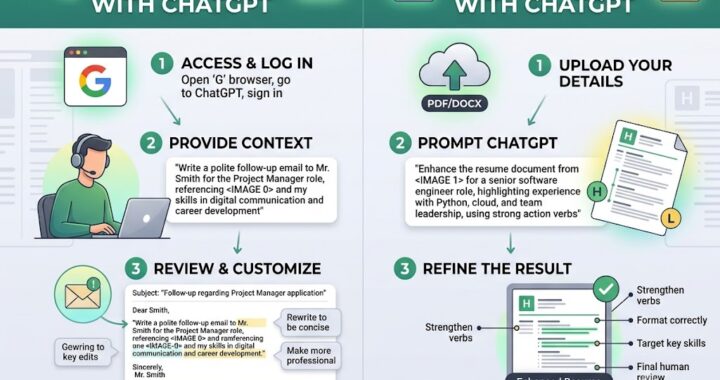


[…] AI tools are general-purpose assistants that can help with almost any writing task. Others are designed […]